Video calls that record like a studio.
Host podcasts, interviews and live video shows with up to 8 people on camera. Everyone is recorded in full quality on their own device, then you edit by text, cut clips and translate in the same place.
No installs for guests. Prices in rupees. Cancel any time.
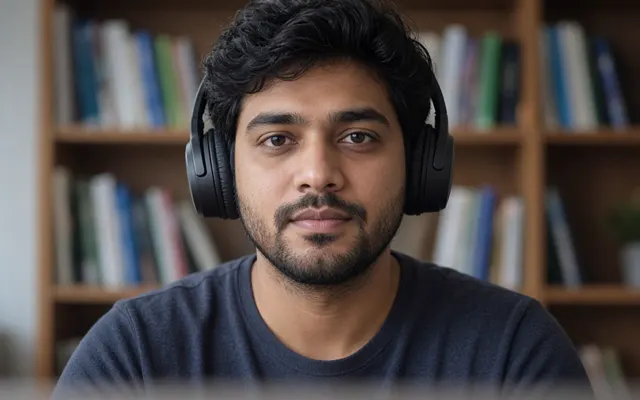
A Castline call mid-recording: three people and an AI co-host on camera, an audience watching, and each person's recording saved on their own device and uploading.


One link, from hello to finished episode
The call, the recording and the edit happen in one place, in the order they happen.
- Step 1
Call
Send one link. Guests join a video call from their browser, no install, and wait until you let them in.
- Step 2
Record
Each person is recorded in full quality on their own device while you talk, and it uploads in the background.
- Step 3
Edit
Every voice is transcribed. Delete words to cut them, remove fillers, master the audio, switch to whoever is speaking.
- Step 4
Share
Export the episode, cut vertical clips with captions, translate it, and get show notes and chapters drafted.
What a normal video call can’t do
A call is only as good as the slowest connection. Castline records underneath it, then gives you a studio to finish the episode.
Studio quality from every guest
Each camera and microphone is recorded on the device it comes from, so a shaky connection never reaches the file.
Meetings with notes, podcasts with a studio
Start a meeting and it records from the moment you join; when it ends you get the summary, decisions and action items, emailed to you and to guests who ask. Start a podcast and you get the studio.
An AI co-host in the call
Add an AI guest with its own voice and persona. It listens, asks questions and talks live, and its track is recorded like everyone else’s.
A live audience
Up to 100 people watch while you record and send questions you can bring on stage. They are never recorded.
Edit by editing text
Strike a word in the transcript and it leaves the audio and video. Fillers and long silences are found for you.
Multicam that edits itself
Export one video that cuts to whoever is speaking, from every person’s own camera track.
Mastered sound
Noise reduced and loudness matched for podcasts or video in one step, on every voice.
Vertical clips with captions
Pick a moment and get a 9:16 clip with captions burned in, ready for short-form video.
20 languages
Translate transcripts, subtitles and show notes, including Hindi, Tamil, Telugu and Bengali.
Nothing waits on uploads
Recordings upload while you talk and finish after you hang up. If a tab closes, the upload picks up where it stopped.
How Castline compares
The call of Zoom, the recording of Riverside, the editing of Descript, and a few things none of them do.
| Feature | Castline | Zoom | Riverside | Descript |
|---|---|---|---|---|
| Video call with guests in the browser | Yes | Yes | Yes | Yes |
| Each person recorded on their own device, in full quality | Yes | Separate audio only | Yes | Yes |
| Edit the recording by editing its transcript | Yes | No | Yes | Yes |
| Vertical clips with captions | Yes | No | Yes | Yes |
| A built-in AI co-host that talks in the live call | Yes | No | No | No |
| A live audience that sends questions while you record | Yes | Webinars, a separate product | Yes | No |
From each product’s public information, October 2026. Products change: if something here is out of date, tell us. Zoom, Riverside and Descript are trademarks of their owners.
Made for shows recorded with other people
Podcasts
Audio or video, two voices or eight, every track clean enough to publish.
Video interviews
Guests anywhere, each camera recorded at its own quality, cut to whoever is talking.
Live shows
An audience watching and asking questions while the episode records underneath.
Remote panels
Several speakers, one link, a transcript for each of them when you hang up.
Built for guests who are not podcasters
Your guest has one job: talk. Everything technical happens without them.
Nothing to install
Guests open your link in a desktop browser, type their name and wait in the waiting room until you let them in.
A crash is not the end
If a tab closes mid-call, the recording is still on their device. Reopening the link picks up the upload where it stopped.
A setup check first
Before joining, guests see their camera, microphone level, connection speed and lighting, and can fix them in the waiting room.
Plans in rupees, billed monthly
Start free. Upgrade when your episodes get longer. Prices are per month, before 18% GST.
Free
₹0a month
Try Castline: 2-hour sessions in 720p.
- 2-hour sessions
- 4 people on camera
- 720p video
Creator
Most chosen₹999a month
Full-length episodes in 1080p, with transcripts.
- 6-hour sessions
- 4 people on camera
- 1080p video
Pro
₹2,499a month
Bigger shows: 8 people recorded, 30 hours of transcripts a month.
- 8-hour sessions
- 8 people on camera
- 1080p video
Questions hosts ask first
Can I use Castline instead of Zoom?
For recording conversations, yes. Castline is a video call too, but it also records each person in full quality on their own device, so the file you edit never shows the call’s glitches. For everyday meetings, keep Zoom.
Do my guests need an account?
No. Guests join from your invite link with just their name. Only the host needs a Castline account.
What happens if someone’s internet drops?
The recording carries on on their device. The call may stutter, but the file is recorded locally in full quality and uploads when the connection comes back.
Which browsers work?
Recent Chrome, Edge and Safari on a computer. Firefox works on a best-effort basis. Hosts can also use the Castline desktop app on Mac, Windows or Linux.
Where are my recordings kept?
In cloud storage for as long as you keep the session. You can download every original track at any time. When you delete a session, its files are erased within 30 days.
Is there a free plan?
Yes. Free includes 2-hour sessions in 720p with transcription to try Castline. Paid plans add longer sessions, 1080p and more of everything.
Your next call, recorded like a studio.
Create a free account, send your guest the link, and press record. That is the whole setup.
Start free